W3C Validator vs Accessibility Audit: 4 Critical Differences Explained
Digital Compliance Auditors
Engineering & Audit Desk
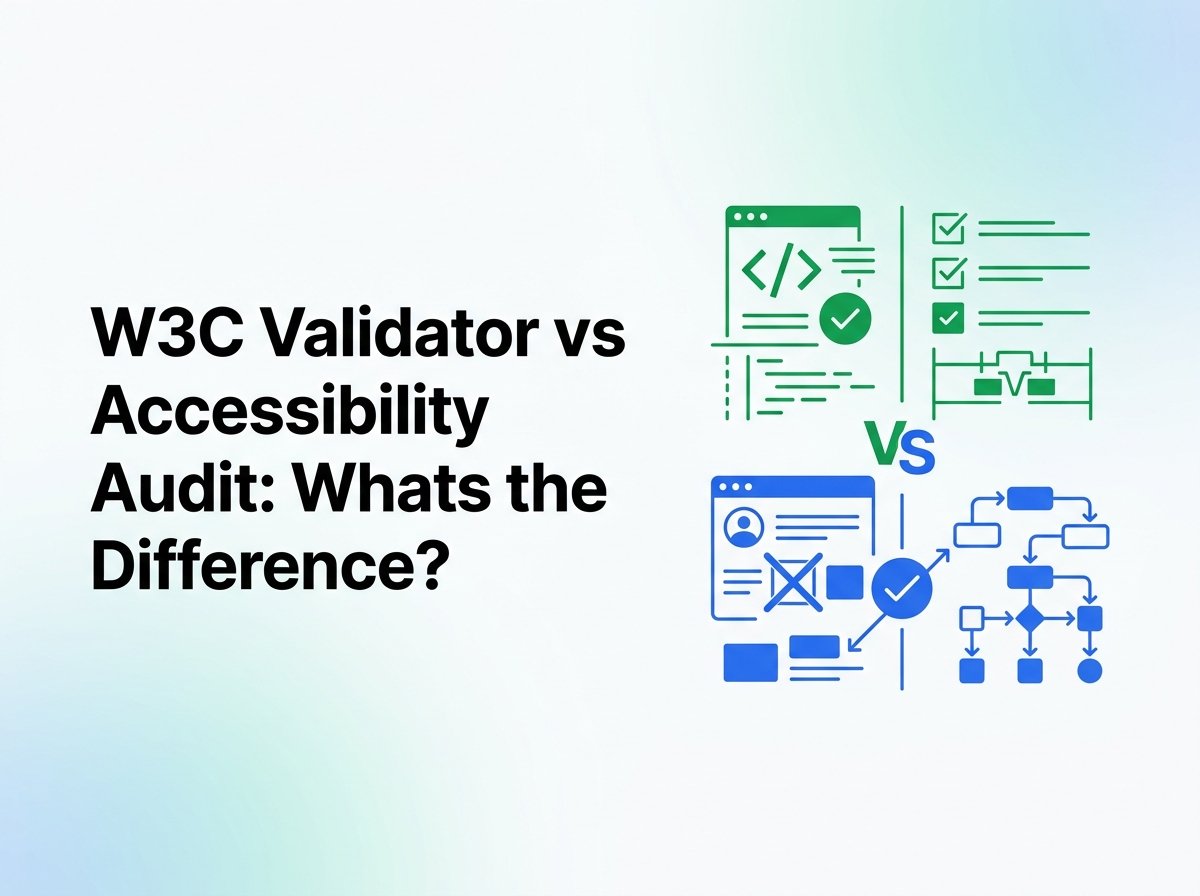
A technical dive distinguishing syntactic HTML validation from comprehensive manual accessibility audits, showing why valid code often conceals critical WCAG failures.
Evaluating the technical differences in a W3C validator vs accessibility audit workflow is vital for engineering leaders responsible for digital product accessibility. Development teams frequently conflate automated code validation with accessibility testing, assuming that clean markup automatically satisfies global standards like the Web Content Accessibility Guidelines (WCAG) 2.2.
However, confusing a W3C validator vs accessibility audit process leads many development teams to assume that code correctness equals human usability. Understanding HTML validation vs accessibility testing requires recognizing that markup linters analyze document grammar, whereas accessibility audits evaluate human perception, cognitive clarity, and screen reader interaction. Reviewing our foundational complete digital accessibility audit guide illustrates why true accessibility requires moving far beyond basic syntax checks.
The Core Technical Distinction: W3C Validator vs Accessibility Audit
At its foundational architecture, comparing a W3C validator vs accessibility audit reveals two entirely different engineering disciplines. A W3C validator functions as a deterministic compiler check. It parses an HTML document against formal document type definitions (DTDs) or the WHATWG HTML Living Standard, looking for unclosed elements, illegal tag nestings, obsolete attributes, and duplicate IDs.
Engineers must recognize that in the debate over W3C validator vs accessibility audit capabilities, syntax checks represent step zero of code hygiene. Conversely, a comprehensive accessibility audit evaluates how the compiled Document Object Model (DOM) is translated by the browser into platform-specific Accessibility APIs (such as Microsoft UI Automation, Apple Accessibility API, or Linux AT-SPI) and experienced through assistive hardware and software.
4 Critical Differences: W3C Validator vs Accessibility Audit
To properly allocate engineering resources and protect organizations from litigation, technology officers must understand the four primary pillars separating syntax validators from genuine accessibility audits.
1. Scope of Evaluation: Grammar Rules vs. WCAG 2.2 Principles
Examining the first major distinction in the W3C validator vs accessibility audit comparison begins with evaluation scope. A validator operates within a strict syntactic perimeter. It inspects whether an element follows grammar rules defined by the specification. When assessing WCAG compliance vs code validation, code validation only confirms that elements are written correctly according to language syntax.
While syntax tools check tags, a true W3C validator vs accessibility audit analysis shows that WCAG requires testing against four overarching principles: Perceivable, Operable, Understandable, and Robust (POUR). A validator cannot evaluate whether text meets the 4.5:1 color contrast ratio (Criterion 1.4.3), whether focus indicators are sufficiently visible (Criterion 2.4.11), or whether error messages offer meaningful suggestions (Criterion 3.3.3).
2. Testing Mechanics: Static Parsing vs. Assistive Technology APIs
The second fundamental contrast in a W3C validator vs accessibility audit evaluation centers on testing mechanics. Tools like the W3C Nu HTML Checker operate via static string analysis. They do not render the interface, execute JavaScript bundles, compute stylesheet layouts, or generate an Accessibility Tree.
Understanding automated markup validator limitations explains why static checks cannot detect dynamic barriers. Testing real screen readers establishes why a W3C validator vs accessibility audit comparison cannot treat them as substitutes. An audit evaluates live interaction across real assistive tools, including JAWS, NVDA, VoiceOver, and TalkBack, verifying that accessible names, roles, and states are broadcast accurately as users navigate. For an in-depth review of validator thresholds, see our technical article on W3C validator accessibility limits.
3. Dynamic Application State and SPA Routing
Third, modern application architecture highlights the divide in a W3C validator vs accessibility audit framework. Modern enterprise web applications built on React, Vue, Angular, or Next.js rely heavily on client-side state transitions, asynchronous data fetching, and single-page routing without full page reloads.
Runtime client-side state proves that a W3C validator vs accessibility audit cannot evaluate interactive workflows identically. When a user opens a modal dialog, submits an asynchronous form, or encounters dynamic error validation, the validator sees none of these state changes. An accessibility audit verifies keyboard focus containment inside active modals, tests that background content is properly hidden using aria-hidden="true", and ensures live regions announce asynchronous updates to screen reader users.
4. Legal Defensibility and Evidentiary Value
Fourth, legal defensibility separates a W3C validator vs accessibility audit when regulatory scrutiny arises. Organizations operating in public commerce face strict legal obligations under Title III of the Americans with Disabilities Act (ADA), Section 508 of the Rehabilitation Act, and the European Accessibility Act (EAA).
Attorneys specializing in ADA compliance point out that a W3C validator vs accessibility audit provides fundamentally different evidentiary weight. If an enterprise faces an ADA complaint or federal inquiry, presenting a clean W3C validation report is legally meaningless. Federal judges and regulatory agencies demand verified proof of WCAG 2.2 AA conformance documented through certified human testing and a formal remediation roadmap. Discover more about enterprise audit deliverables in our breakdown of what an accessibility audit includes.
Code Comparisons: Why a W3C Validator vs Accessibility Audit Yields Opposite Results
Reviewing concrete code examples demonstrates how a W3C validator vs accessibility audit produces conflicting status reports. The following real-world architectural patterns pass W3C validation with zero errors, yet represent critical failures during an accessibility audit.
Example 1: Unlabeled SVG Action Buttons
Modern web applications frequently use inline SVG icons for actions like deleting items, opening settings, or closing dialogues.
W3C Validator: PASS (0 Errors) / Accessibility Audit: SEVERE FAILURE
<!-- W3C Nu HTML Checker: Valid HTML5 syntax -->
<!-- WCAG 2.2: Violates 4.1.2 Name, Role, Value & 1.1.1 Non-text Content -->
<button type="button" class="icon-btn" onclick="deleteAccount()">
  <svg width="24" height="24" viewBox="0 0 24 24" fill="none">
    <path d="M6 19c0 1.1.9 2 2 2h8c1.1 0 2-.9 2-2V7H6v12zM19 4h-3.5l-1-1h-5l-1 1H5v2h14V4z"/>
  </svg>
</button>
Why the audit fails it: The button contains no accessible name. Screen readers announce “button” with no context, leaving visually impaired users unable to determine what action will occur.
Audit Conformance Pattern: Explicit Accessible Name
<!-- W3C Validator: PASS | WCAG 2.2: PASS -->
<button type="button" class="icon-btn" aria-label="Delete user account" onclick="deleteAccount()">
  <svg width="24" height="24" viewBox="0 0 24 24" fill="none" aria-hidden="true" focusable="false">
    <path d="M6 19c0 1.1.9 2 2 2h8c1.1 0 2-.9 2-2V7H6v12zM19 4h-3.5l-1-1h-5l-1 1H5v2h14V4z"/>
  </svg>
</button>
Why it succeeds: Programmatic accessible name via aria-label, while the decorative SVG is hidden from assistive tech via aria-hidden="true".
In the context of iconography, a W3C validator vs accessibility audit evaluation demonstrates how missing accessible names slip through syntax parsers undetected. While the validator treats SVG paths as valid vector coordinates, the accessibility audit flags the missing accessible name as an immediate blocker.
Example 2: Visual Form Errors Without Programmatic Association
Displaying an error message adjacent to an input field provides clear visual guidance, but without programmatic attributes, screen readers cannot detect the error.
W3C Validator: PASS (0 Errors) / Accessibility Audit: CRITICAL FAILURE
<!-- W3C Nu HTML Checker: Valid syntax -->
<!-- WCAG 2.2: Violates 3.3.1 Error Identification & 3.3.3 Error Suggestion -->
<label for="tax-id">Federal Tax ID</label>
<input type="text" id="tax-id" class="border-red-500" value="123">
<div class="text-red-600 text-sm">Invalid Tax ID. Format must be XX-XXXXXXX.</div>
Why the audit fails it: The error message has no programmatic connection to the input. When a screen reader focuses on the input, it announces the label and value, but fails to announce the error.
Audit Conformance Pattern: Programmatic Association
<!-- W3C Validator: PASS | WCAG 2.2: PASS -->
<label for="tax-id">Federal Tax ID</label>
<input type="text" id="tax-id" aria-describedby="tax-id-error" aria-invalid="true" value="123">
<div id="tax-id-error" class="text-red-600 text-sm" role="alert">
  Invalid Tax ID. Format must be XX-XXXXXXX.
</div>
Why it succeeds: The aria-invalid="true" flag indicates failure state, aria-describedby binds the description, and role="alert" ensures dynamic announcement.
Runtime validation states show why a W3C validator vs accessibility audit test produces vastly divergent findings. Syntax validators cannot infer the programmatic relationship required between form controls and validation feedback.
Detailed Feature Comparison: W3C Validator vs Accessibility Audit
To help procurement and technical leads weigh a W3C validator vs accessibility audit, this comparison matrix details core attributes across both approaches. Highlighting manual accessibility audit benefits demonstrates why human engineering validation is indispensable.
| Capability / Dimension | W3C Markup Validator | Certified Accessibility Audit |
|---|---|---|
| Primary Core Focus | HTML grammar, DTD conformance, tag nesting | User accessibility across WCAG 2.2 Level A and AA |
| Testing Environment | Static string scanner (HTTP text stream) | Live browser viewports with native assistive tech |
| Color Contrast Analysis | None (Cannot calculate CSS luminance) | Complete contrast verification for text and UI components |
| Keyboard Trapping & Navigation | None (Ignores tabindex and event handlers) | Comprehensive tab order, focus containment, focus visible |
| Screen Reader Verification | Zero (No speech output or buffer evaluation) | Native JAWS, NVDA, VoiceOver, and TalkBack testing |
| Touch Targets (WCAG 2.2) | None (Cannot measure bounding box pixels) | Target Size Minimum (24×24 CSS px) verification |
| Legal Protection & Evidentiary Value | None (Zero protection in federal ADA court) | High (Court-tested documentation, VPAT / ACR creation) |
Reviewing this institutional grid underscores that a W3C validator vs accessibility audit should never be viewed as competing options. They operate at completely different layers of the software engineering stack.
Common Pitfalls of Substituting a W3C Validator vs Accessibility Audit
Relying on syntax checks instead of a human audit is a primary driver of compliance failure when teams misunderstand a W3C validator vs accessibility audit. Three recurring mistakes regularly emerge during enterprise procurement reviews:
1. The “Clean Build” Fallacy
Development teams often misinterpret the purpose of a W3C validator vs accessibility audit, assuming that zero validator errors equals zero legal risk. This fallacy collapses when blind users encounter unlabeled buttons or missing form labels.
2. Ignored ARIA Misuse
Validators confirm that an ARIA attribute is spelled correctly, but cannot verify whether applying role="button" to a non-focusable link destroys standard keyboard interaction patterns.
3. Deprecation of Criterion 4.1.1
In WCAG 2.2, the W3C officially deprecated Criterion 4.1.1 (Parsing). Relying on markup parsing tests as an accessibility defense is obsolete under the latest international standards.
Recognizing this gap ensures that teams do not mistake a W3C validator vs accessibility audit as an either-or decision. Treating them as complementary stages in the product lifecycle creates a durable compliance posture.
How Engineering Teams Should Combine a W3C Validator vs Accessibility Audit
Rather than treating them as adversarial, the smartest dev teams integrate both in a cohesive pipeline where a W3C validator vs accessibility audit workflow operates in sequence. A balanced engineering lifecycle organizes validation into three distinct stages:
- Stage 1: Syntax Validation in Pre-Commit Hooks: Run automated linters (such as
html-validateor the Nu HTML Checker CLI) during local development to catch unclosed elements and malformed attributes before code is committed. - Stage 2: Automated Component Testing in CI/CD: Pre-commit hooks run the validator, while a W3C validator vs accessibility audit roadmap schedules comprehensive human audits before major releases, accompanied by automated headless checks (via axe-core or Playwright).
- Stage 3: Certified Human Audits for Release Readiness: Engage accredited accessibility engineers to conduct full-scope manual testing with assistive technologies, document findings in a structured remediation backlog, and verify production deployment.
This layered approach ensures that the initial syntax gate supports, rather than replaces, the W3C validator vs accessibility audit maturity curve. Teams eliminate simple parsing errors automatically, freeing human auditors to focus on complex user flows.
Why Enterprise Legal Protection Requires an Accessibility Audit
When demand letters cite WCAG non-conformance, asserting that your site passes a validator is legally moot; the contrast between a W3C validator vs accessibility audit becomes stark. Plaintiffs’ law firms test websites using real screen readers and automated testing libraries that flag functional usability barriers.
Federal standards outlined by the U.S. Department of Justice ADA Guidance and procurement mandates from the U.S. Access Board Section 508 Standards demand accessible user experiences, not abstract code validity. Assessing compliance through a W3C validator vs accessibility audit framework makes clear why only an accredited audit provides the sworn declarations, VPAT documentation, and detailed issue tracking necessary to satisfy corporate legal counsel.
Ultimately, understanding the distinct roles of a W3C validator vs accessibility audit empowers engineering and executive leadership to achieve true digital inclusion, protect brand equity, and ensure enduring compliance across all consumer platforms. For enterprise-grade evaluation, explore our enterprise digital accessibility audit services.
ENTERPRISE COMPLIANCE AUDITING
Verify Your Live User Experience Beyond Basic Markup Validation
Does your development pipeline stop at syntax checks? Digital Compliance Auditors provides certified manual WCAG 2.2 AA evaluations, native assistive technology testing, and court-tested audit trails.
Frequently Asked Questions
Can a website pass the W3C validator and still fail an accessibility audit?
Yes. In fact, most websites that achieve zero errors on the W3C validator fail basic accessibility audits. Syntax validators do not check color contrast, keyboard navigation, focus appearance, screen reader speech announcements, or alternative text accuracy.
Why was WCAG Criterion 4.1.1 (Parsing) removed in WCAG 2.2?
Criterion 4.1.1 was removed because modern web browsers handle syntax parsing errors identically through standardized HTML5 algorithms. Because browsers resolve malformed markup consistently without breaking assistive tech, separate parsing validation was deemed redundant.
Is the W3C Markup Validator useful for accessibility in any way?
Yes. The validator detects duplicate ID attributes and unclosed elements that can corrupt the browser accessibility tree. It acts as an effective syntax linter, but must never be treated as an accessibility audit.
Will passing the W3C validator protect my business from ADA lawsuits?
No. W3C validation carries zero legal weight in ADA Title III litigation. Courts evaluate compliance against WCAG 2.1 or 2.2 Level AA conformance, which requires human manual testing and functional usability for people with disabilities.
How often should our company conduct a full manual accessibility audit?
Enterprises should conduct a comprehensive manual accessibility audit at least annually, or prior to any major redesign, architecture overhaul, or deployment of core user journeys like checkout flows and authenticated portals.
Audited Editorial Standard
Every technical article published by Digital Compliance Auditors is reviewed by certified IAAP specialists (CPACC, WAS) to ensure accurate alignment with WCAG 2.2 AA success criteria and federal accessibility jurisprudence.