Pacific Trial Attorneys ADA Lawsuit Defense: 7-Step Playbook & Code Remediation (2026)
Digital Compliance Auditors
Engineering & Audit Desk
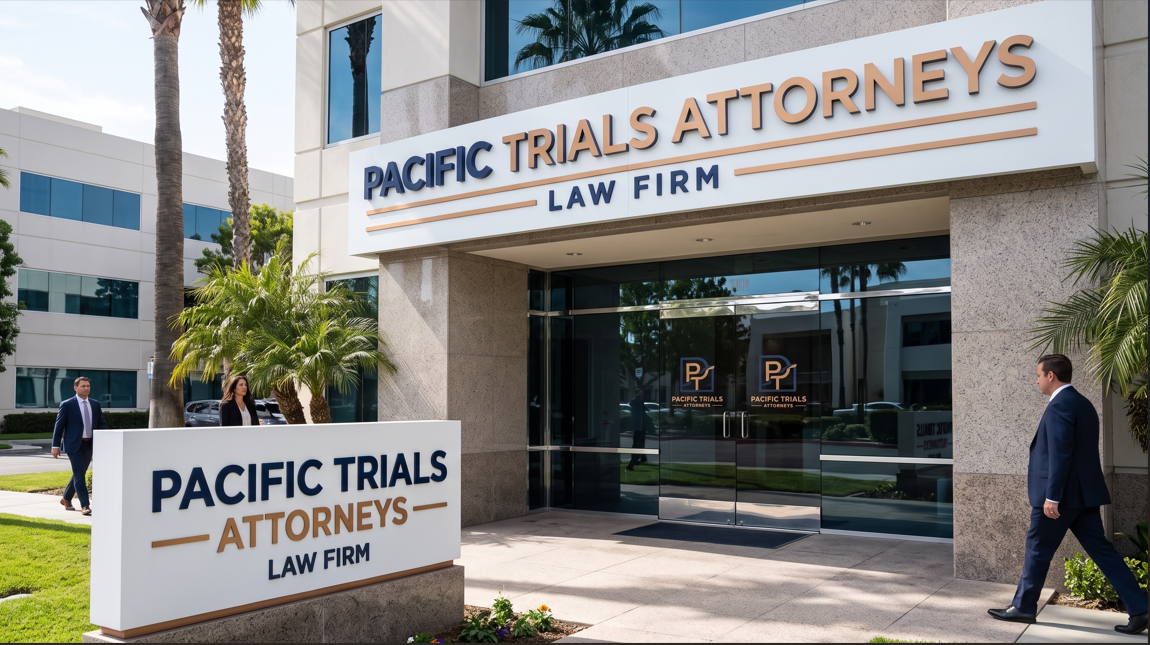
Receiving an ADA demand letter or California state court summons from Pacific Trial Attorneys is an urgent commercial threat that requires a swift Pacific Trial Attorneys ADA lawsuit defense. When California merchants or out-of-state online brands receive a formal demand letter from Scott J. Ferrell, financial exposure extends far beyond ordinary federal compliance disputes. Neutralizing statutory claims under the Unruh Civil Rights Act demands an immediate Pacific Trial Attorneys ADA lawsuit defense built on verified screen reader audits, realistic financial benchmarks, and direct engineering repairs
Table of Contents
- 1. Who Is Pacific Trial Attorneys? Scott J. Ferrell and the California Litigation Engine
- 2. The California Unruh Act Weapon: The $4,000 Statutory Minimum Penalty
- 3. The 4 Common Website Defects in Pacific Trial Attorneys Claims
- 4. Real 2026 Settlement Numbers vs. Demanded Amounts
- 5. State Court vs. Federal Court: Ninth Circuit Jurisprudence & Robles
- 6. Technical Cross-Examination: Debunking Screen Reader Allegations
- 7. Step-by-Step Code Remediation: Production Code Fixes
- 8. Why Installing an Accessibility Overlay Guarantees Failure
- 9. The 7-Step Defense & Mootness Protocol: From Demand to Release
- 10. Frequently Asked Questions (FAQ)
1. Who Is Pacific Trial Attorneys? Scott J. Ferrell and the California Litigation Engine
Headquartered in Newport Beach, California, Pacific Trial Attorneys, APC (led by attorney Scott J. Ferrell) is the most prolific filer of digital accessibility demand letters and lawsuits on the West Coast. While New York serial litigation concentrates in federal court, Pacific Trial Attorneys routinely targets online retailers, national brands, and direct-to-consumer eCommerce stores selling goods to California residents.
If your enterprise receives a certified demand letter or is served with a complaint from this firm, establishing an effective Pacific Trial Attorneys ADA lawsuit defense requires understanding how their high-volume operation leverages California law against out-of-state merchants.
The Pre-Litigation Demand Engine
The firm often initiates disputes with an urgent demand letter threatening litigation unless a confidential monetary settlement is executed within 14 days, a tactic central to your California legal defense strategy.
California Superior Court Forum Selection
To sidestep strict federal Article III standing rules, the firm frequently files in California Superior Court (e.g., Orange County or Los Angeles County), which requires a tailored Pacific Trial Attorneys ADA lawsuit defense.
Serial Tester Representation
Claims are filed on behalf of repeat plaintiffs (including Rusty Rendon, Cheryl Thurston, and Brittney Silva) who test dozens of retail websites weekly, a pattern key to your defense approach.
Automated Discovery Crawlers
Headless crawlers scrape Shopify and consumer eCommerce storefronts for syntax flags, providing automated defect appendices that a seasoned Pacific Trial Attorneys ADA lawsuit defense can systematically dismantle.
2. The California Unruh Act Weapon: The $4,000 Statutory Minimum Penalty
The primary reason Pacific Trial Attorneys possesses immense settlement leverage is California’s specific statutory framework: the Unruh Civil Rights Act (California Civil Code § 51 et seq.).
Under California Civil Code § 51(f), any violation of the federal Americans with Disabilities Act constitutes an automatic violation of the Unruh Act. However, unlike Title III of the federal ADA (which allows only injunctive relief and attorney fees), the Unruh Act under Civil Code § 52(a) provides for:
$4,000 Statutory Minimum
Plaintiffs can claim statutory damages of up to $4,000 per violation, regardless of whether they suffered actual economic harm. Countering this exposure is vital in a Pacific Trial Attorneys ADA lawsuit defense.
Mandatory Attorney Fee Shifting
Prevailing plaintiffs recover reasonable attorney fees, creating financial pressure that makes early case evaluation critical to your Pacific Trial Attorneys ADA lawsuit defense.
No Intent Requirement
Because ADA violations serve as automatic Unruh triggers, plaintiffs need not prove intentional discrimination, reinforcing why code audits are central to your strategy.
3. The 4 Common Website Defects in Pacific Trial Attorneys Claims
Demand letters and pleadings drafted by Pacific Trial Attorneys consistently center on four technical categories under the Web Content Accessibility Guidelines (WCAG 2.1 and WCAG 2.2 Level AA). In organizing an actionable Pacific Trial Attorneys ADA lawsuit defense, your technical team must evaluate these specific allegations:
1. Inaccessible Screen Reader Navigation (WCAG SC 1.1.1)
Claims that blind visitors using VoiceOver or JAWS cannot understand product photos, promotion banners, or navigation icons, a primary claim targeted in digital accessibility litigation.
2. Keyboard Accessibility & Focus Traps (WCAG SC 2.1.1)
Alleges that keyboard-only shoppers are trapped inside slide-out drawers, navigation dropdowns, or email subscription modals, forming a core allegation in your defense.
3. Missing Form Labels on Checkout Flows (WCAG SC 4.1.2)
Asserts that search fields, cart increment buttons, and billing address inputs lack programmatic labels, preventing blind users from completing purchases.
4. Unannounced Dynamic Shopping Cart Updates (WCAG SC 4.1.3)
Targets AJAX cart drawers that fail to announce price updates or added items via aria-live regions, an issue your Pacific Trial Attorneys ADA lawsuit defense must resolve.
4. Real 2026 Settlement Numbers vs. Demanded Amounts
A central pillar of an effective Pacific Trial Attorneys ADA lawsuit defense is recognizing that initial demand letters are designed to shock business owners into immediate settlement. Initial letters routinely demand between $20,000 and $45,000 to release claims.
Evaluating actual financial ranges allows defense counsel to calibrate your Pacific Trial Attorneys ADA lawsuit defense with realistic market figures rather than inflated initial demands:
| Litigation Phase | Initial Plaintiff Demand | Typical Realized Settlement | Defense Counsel Cost | Independent Audit & Code Fixes | Total Financial Exposure |
|---|---|---|---|---|---|
| Pre-Litigation Demand Letter | $20,000 to $35,000 | $6,500 to $12,500 | $2,500 to $5,000 | $2,500 to $6,000 | $11,500 to $23,500 |
| State Court Complaint (Early Settlement) | $30,000 to $50,000 | $10,000 to $18,500 | $5,000 to $12,000 | $3,500 to $8,500 | $18,500 to $39,000 |
| State / Federal Court (Litigated Defense) | $60,000+ | $0 (Dismissal) or $15,000 | $25,000 to $55,000 | $3,500 to $8,500 | $28,500 to $78,500+ |
A fatal mistake is paying a settlement without remediating website source code. Settling with Pacific Trial Attorneys does not protect your store from other California or New York plaintiff firms. To prevent recurring litigation, your Pacific Trial Attorneys ADA lawsuit defense must combine negotiation with an accredited ADA compliance audit and developer code remediation.
5. State Court vs. Federal Court: Ninth Circuit Jurisprudence & Robles
Understanding jurisdictional nuances is essential when coordinating your Pacific Trial Attorneys ADA lawsuit defense. While New York filings occur almost exclusively in federal court (SDNY/EDNY), Pacific Trial Attorneys frequently splits filings between California Superior Court and federal court (Central District of California).
In federal court, Ninth Circuit jurisprudence is governed by the landmark ruling Robles v. Domino’s Pizza, LLC (913 F.3d 898), which confirmed that the ADA applies to commercial websites and mobile apps. However, defendants in federal court can raise Article III standing challenges under recent Supreme Court jurisprudence.
Because federal judges increasingly scrutinize serial testers, Pacific Trial Attorneys often files in California state courts, where California procedural law applies broader standing rules. In state court, an effective Pacific Trial Attorneys ADA lawsuit defense relies on proving that the website provides equivalent facilitation or that the alleged barriers are automated scanner false positives.
6. Technical Cross-Examination: Debunking Screen Reader Allegations
Pacific Trial Attorneys demand letters routinely rely on automated scanning reports that misinterpret technical accessibility rules, creating critical opportunities for your Pacific Trial Attorneys ADA lawsuit defense.
When Digital Compliance Auditors conducts a technical cross-examination, we regularly uncover substantial false positives:
False Positive 1: Decorative Background Elements Flagged as Violations
Crawlers flag decorative SVG icons as missing alt text. Under W3C rules, decorative elements must be hidden with aria-hidden="true", giving your Pacific Trial Attorneys ADA lawsuit defense an immediate factual rebuttal.
False Positive 2: Accessible Alternative Navigation Routes Ignored
Scanners assert that users cannot interact with a complex product filter, ignoring that an accessible search bar and category menu provide equivalent facilitation under California law.
False Positive 3: Contrast Errors on Hidden Drawer Elements
Automated crawlers evaluate contrast on off-screen elements styled with display: none, generating erroneous violations that an independent audit can readily expose.
7. Step-by-Step Code Remediation: Production Code Fixes
To establish full legal protection and moot the claims, your engineering team must remediate the underlying codebase as part of your comprehensive Pacific Trial Attorneys ADA lawsuit defense. Below are production code fixes for the four most common issues cited in California demand letters:
Fix 1: Non-Text Content & Product Image Alt Attributes (WCAG SC 1.1.1)
Informative product images must provide concise contextual descriptions, while decorative icons are hidden from assistive technology to reinforce your technical compliance posture.
Failing Code Pattern:
<!-- Flawed: Missing alt causes screen reader to announce raw image URL -->
<img src="/cdn/shop/products/leather-jacket-black.jpg">

<!-- Flawed: Decorative icon announced to screen reader -->
<svg class="icon-cart"><path d="..."></path></svg>
Accessible Code Remediation:
<!-- Accessible: Descriptive alt text for product image -->
<img src="/cdn/shop/products/leather-jacket-black.jpg"
     alt="Men's black fitted leather motorcycle jacket front view">

<!-- Accessible: Decorative icon hidden from assistive tech -->
<svg aria-hidden="true" focusable="false" class="icon-cart">
  <use href="#icon-cart-symbol"></use>
</svg>
Fix 2: Keyboard Traps in Cart Drawers & Slide-Outs (WCAG SC 2.1.1 & 2.1.2)
When a slide-out cart opens, keyboard focus must move into the container, cycle exclusively within it, and return to the trigger button upon closure, eliminating claims in digital accessibility litigation.
Failing Code Pattern:
// Flawed: Opening drawer without managing focus
function toggleCart() {
  document.querySelector('.drawer-cart').classList.toggle('open');
  // Keyboard focus remains trapped in background DOM
}
Accessible Code Remediation:
// Accessible Focus Trap and Return Handler
const cartOpenBtn = document.querySelector('#cart-open-btn');
const drawerCart = document.querySelector('#drawer-cart');
const focusElements = 'button, [href], input, select, textarea, [tabindex]:not([tabindex="-1"])';

function openDrawer() {
  drawerCart.classList.add('open');
  drawerCart.setAttribute('aria-hidden', 'false');
  drawerCart.dataset.returnFocus = cartOpenBtn.id;

  const focusable = drawerCart.querySelectorAll(focusElements);
  const firstEl = focusable[0];
  const lastEl = focusable[focusable.length - 1];

  firstEl.focus();

  drawerCart.addEventListener('keydown', function(e) {
    if (e.key === 'Escape') {
      closeDrawer();
      return;
    }
    if (e.key === 'Tab') {
      if (e.shiftKey) { // Shift + Tab
        if (document.activeElement === firstEl) {
          lastEl.focus();
          e.preventDefault();
        }
      } else { // Tab
        if (document.activeElement === lastEl) {
          firstEl.focus();
          e.preventDefault();
        }
      }
    }
  });
}

function closeDrawer() {
  drawerCart.classList.remove('open');
  drawerCart.setAttribute('aria-hidden', 'true');
  cartOpenBtn.focus();
}
Fix 3: Missing Accessible Form Names on Search & Inputs (WCAG SC 4.1.2)
Assistive technology must state the purpose of every form field and search submission button.
Failing Code Pattern:
<!-- Flawed: Input lacks associated label; button lacks accessible name -->
<form action="/search">
  <input type="text" placeholder="Search catalog...">
  <button type="submit"><i class="icon-search"></i></button>
</form>
Accessible Code Remediation:
<!-- Accessible: Explicit label paired with input; button has aria-label -->
<form action="/search" role="search">
  <label for="store-search-input" class="sr-only">Search products</label>
  <input type="text"
         id="store-search-input"
         name="q"
         placeholder="Search catalog..."
         autocomplete="off">

  <button type="submit" aria-label="Submit search query">
    <svg aria-hidden="true" focusable="false" class="search-icon">
      <use href="#search-symbol"></use>
    </svg>
  </button>
</form>
Fix 4: Contrast Ratio Failures in Interactive States (WCAG SC 1.4.3 & 1.4.11)
Text must maintain a contrast ratio of at least 4.5:1 against its background, and interactive component borders must maintain 3.0:1.
Failing CSS Pattern:
/* Flawed: Gray text on white = 2.45:1 (FAILS WCAG AA) */
.product-price {
  color: #94a3b8;
  background-color: #ffffff;
}

/* Flawed: Outline removed without replacement */
button:focus {
  outline: none; /* Serious WCAG SC 2.4.7 violation */
}
Accessible CSS Remediation:
/* Accessible: Dark slate on white = 5.96:1 (PASSES WCAG AA) */
.product-price {
  color: #475569;
  background-color: #ffffff;
}

/* Accessible: Visible, 2px focus outline satisfying WCAG 2.2 Focus Appearance */
button:focus-visible,
a:focus-visible {
  outline: 2px solid #0f172a;
  outline-offset: 2px;
}
8. Why Installing an Accessibility Overlay Guarantees Failure
When served with a demand letter, many businesses install an automated accessibility overlay widget (such as accessiBe, UserWay, or AudioEye), hoping for a quick fix. In an active Pacific Trial Attorneys ADA lawsuit defense, installing an overlay is one of the most damaging mistakes an organization can make.
In California courts, installing an overlay widget undermines your position for three direct reasons:
Overlays Cannot Remediate DOM Architecture
Overlays operate only on the client presentation layer. They cannot restructure heading hierarchies, untangle iframe keyboard traps, or repair asynchronous checkout funnels.
The April 2025 FTC Consent Order Against accessiBe
The Federal Trade Commission entered into a landmark consent order requiring accessiBe to pay $1 Million in penalties for deceptive advertising regarding automated WCAG compliance.
Plaintiffs Use Overlays as Proof of Knowledge
Pacific Trial Attorneys frequently argues that installing an overlay proves the business was aware of digital accessibility requirements but chose an ineffective shortcut instead of fixing its code, demonstrating willful non-compliance.
More than 1,000 federal ADA lawsuits have been filed against websites with active overlays installed. If your site currently runs an overlay, remove it and direct those funds toward a genuine Pacific Trial Attorneys ADA lawsuit defense based on source-code remediation.
9. The 7-Step Defense & Mootness Protocol: From Demand to Release
Successfully managing a Pacific Trial Attorneys ADA lawsuit defense requires close coordination between skilled legal counsel and certified compliance engineers:
Step 1: Calendar the California Response Deadline
California Superior Court summons typically require a responsive pleading within 30 days, while demand letters set a 14-day window. Never default on a deadline.
Step 2: Retain Experienced California ADA Defense Counsel
Engage counsel familiar with the Unruh Civil Rights Act and California state court procedures to safeguard your corporate legal position.
Step 3: Order an Independent Third-Party Audit
Partner with an accredited compliance authority like Digital Compliance Auditors. Our certified specialists review your site with screen readers (VoiceOver, JAWS, NVDA) and test 100% of interactive user paths.
Step 4: Produce a Factual Rebuttal Affidavit
We deliver an objective Technical Conformance Report identifying automated false positives and isolating legitimate barriers. Counsel presents this document to challenge the plaintiff’s leverage during negotiations.
Step 5: Remediate High-Priority Barriers in Production
While discussions continue, your developers or DCA engineers deploy code patches to production. Fixing core barriers (such as keyboard traps, form labels, and alt text) removes the grounds for ongoing injunctive claims.
Step 6: Publish a Formal Accessibility Statement
Post a comprehensive Accessibility Statement in your website footer outlining your WCAG 2.2 AA target, testing methodology, and a direct support contact channel for users with disabilities.
Step 7: Establish Constitutional Mootness for Dismissal
If the defendant proves that the alleged barriers have been permanently fixed and cannot reasonably recur, the lawsuit becomes moot, delivering a successful conclusion to your Pacific Trial Attorneys ADA lawsuit defense.
CALIFORNIA LITIGATION ACCELERATOR
Need an Emergency Pacific Trial Attorneys ADA Lawsuit Defense?
Do not face California litigation unprepared. Digital Compliance Auditors provides certified third-party manual audits, false-positive legal rebuttal affidavits, and developer-ready code fixes to support your Pacific Trial Attorneys ADA lawsuit defense and shut down repeat lawsuits permanently.
10. Frequently Asked Questions (FAQ)
How much does a Pacific Trial Attorneys ADA lawsuit defense typically cost?
In 2026, resolving pre-litigation demand letters in a Pacific Trial Attorneys ADA lawsuit defense costs between $6,500 and $12,500 in settlement payments plus $2,500 to $5,000 in legal and audit fees. If a formal lawsuit is filed, total exposure ranges from $18,500 to $39,000 for early settlement, or up to $78,500+ if fully litigated.
What is the statutory penalty under the California Unruh Act?
Under California Civil Code § 52(a), the Unruh Act provides statutory minimum damages of $4,000 per violation, plus attorney fees, which is why California demand letters demand higher settlement figures than other jurisdictions.
What are the immediate priorities when served with a California demand letter?
Record the response deadline, save a timestamped backup of your current website code, retain specialized California ADA defense counsel, and order an independent third-party manual audit. Do not wire unnegotiated settlement funds and do not install an overlay widget.
Does an accessibility overlay widget protect against Pacific Trial Attorneys?
No. Overlays fail to remediate DOM-level code errors and have been criticized by federal courts and the FTC. In fact, plaintiffs attorneys frequently use the presence of an overlay widget as evidence that the business was aware of accessibility standards but chose an ineffective shortcut.
Why does Pacific Trial Attorneys file in California state court instead of federal court?
To sidestep strict federal Article III standing defenses established in cases like TransUnion and Calcano, Pacific Trial Attorneys often files in California Superior Court where state procedural standing rules are more permissive for serial tester plaintiffs.
Audited Editorial Standard
Every technical article published by Digital Compliance Auditors is reviewed by certified IAAP specialists (CPACC, WAS) to ensure accurate alignment with WCAG 2.2 AA success criteria and federal accessibility jurisprudence.